

Experience a new way to exchange items in your Minecraft worlds with the Mailboxes Add-On, a complete in-game delivery system that allows players to send and receive packages instantly, no matter where they are even across dimensions!
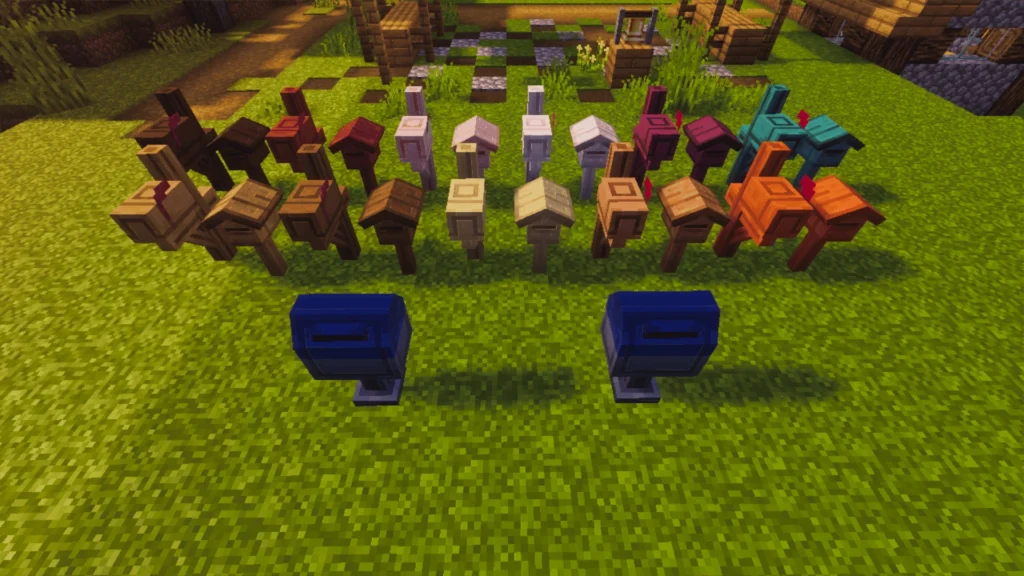
How to Register a Mailbox
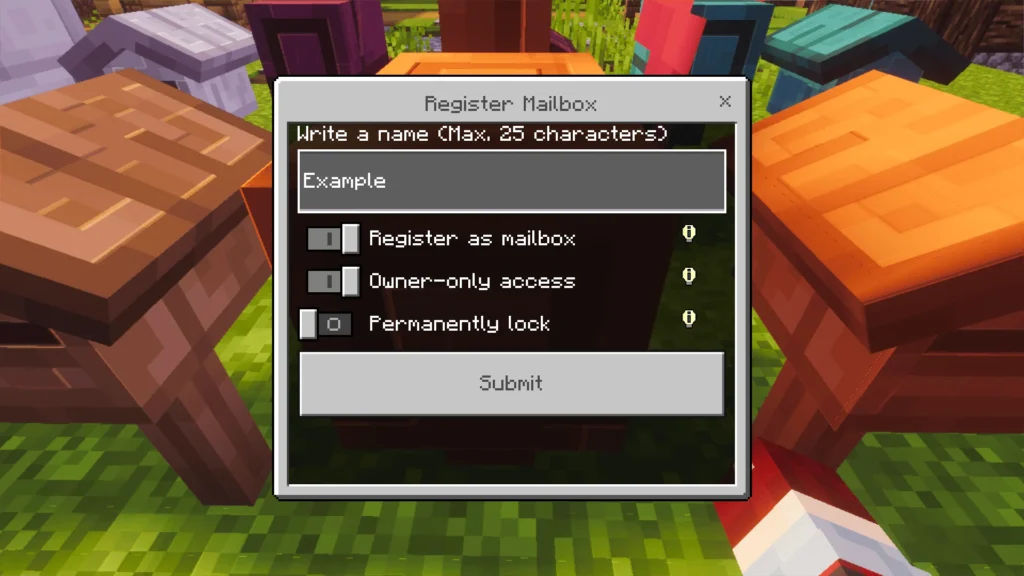
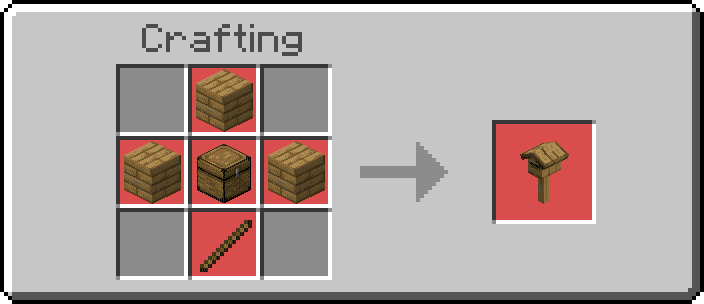
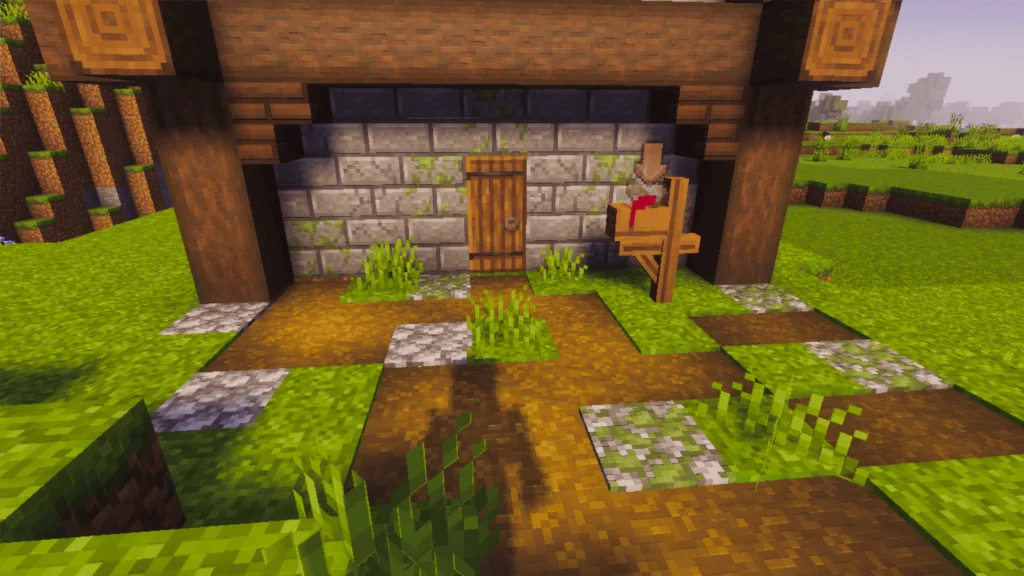
To begin, place a mailbox and open it to display the registration form. You can choose:
- A custom name (up to 25 characters).
- Whether it’s owner-only (only you can modify or receive mail).
- Whether to lock settings permanently, preventing further edits.
Once registered, the mailbox becomes active and ready to receive packages.
Mailbox Behavior and Features
Mailboxes now react dynamically depending on their configuration:
- Owner-Only Mode:
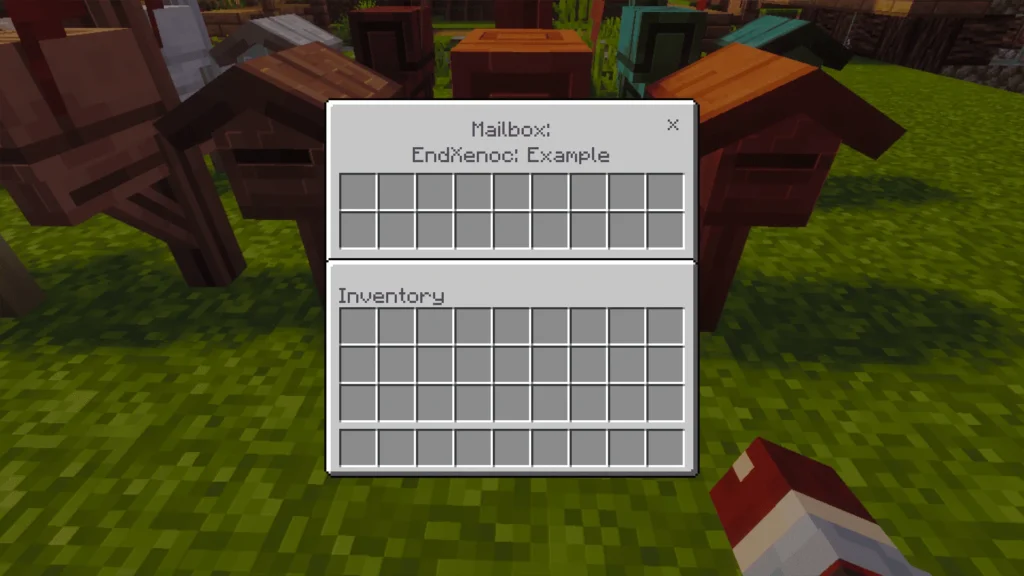
- Only the owner can access the mailbox inventory or receive pending packages.
- The mailbox will display the owner’s name as its title.
- Public Mailboxes:
- Any nearby player (within 8 blocks) can trigger delivery of pending packages.
- Useful for shared or community mailboxes.
- Automatic Collection:
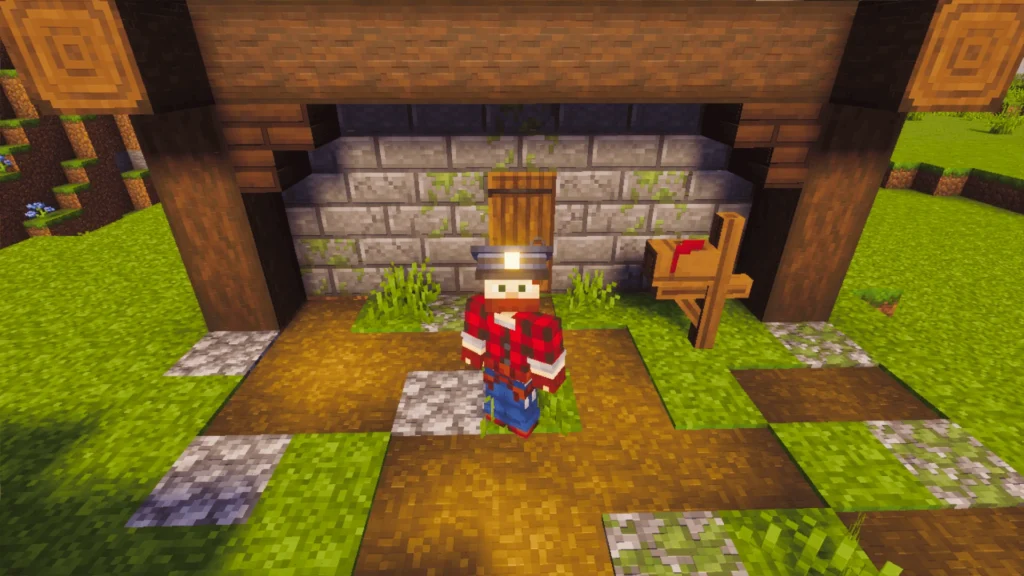
- If an armor stand with a Postman Hat (blue or white) is placed near the mailbox, it automatically collects pending mail every 3 seconds.
- Hopper Integration:
- Hoppers placed underneath can extract items directly from the mailbox.
- Locked Mailboxes:
- When the “lock” option is enabled, mailbox settings can no longer be changed.
- To modify it again, break and re-register the mailbox.
Sending Packages
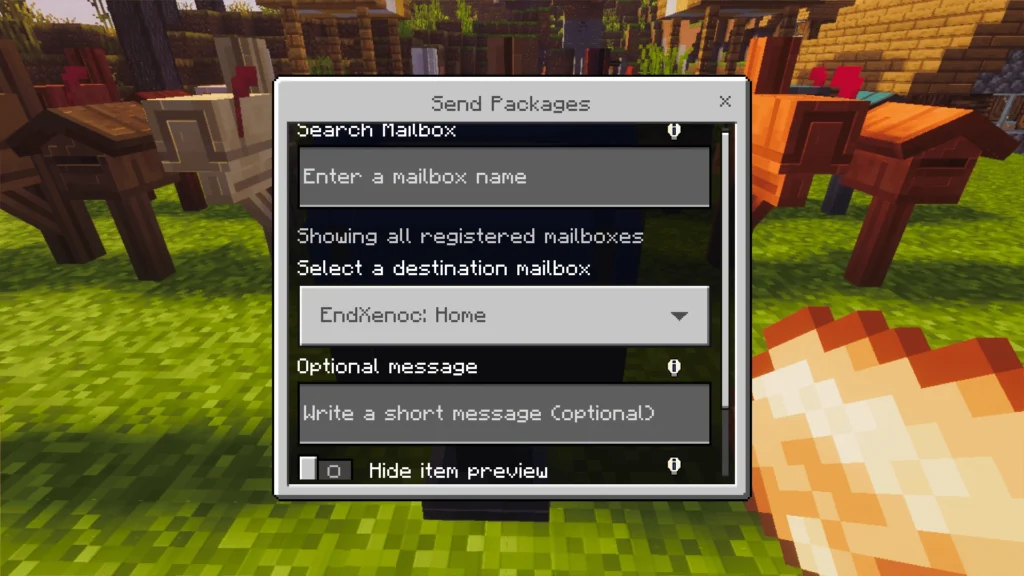
Open your mailbox and select Send Package to open the post box interface. From there, you can:
- Search for a mailbox by name (optional).
- Write an optional message to the recipient.
- Choose whether to hide the package’s item preview (lore).
- Confirm and send the package instantly.
If no results match your search, the full list of mailboxes will automatically appear.
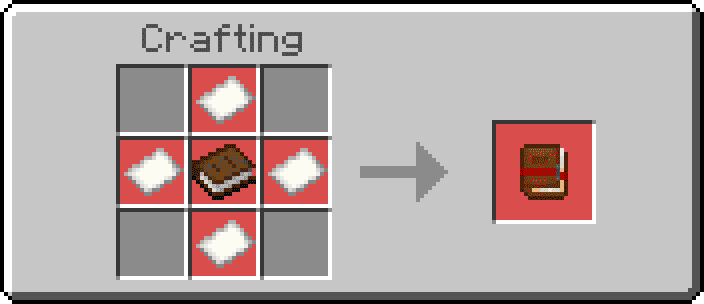
Add-On Configuration (Guidebook)
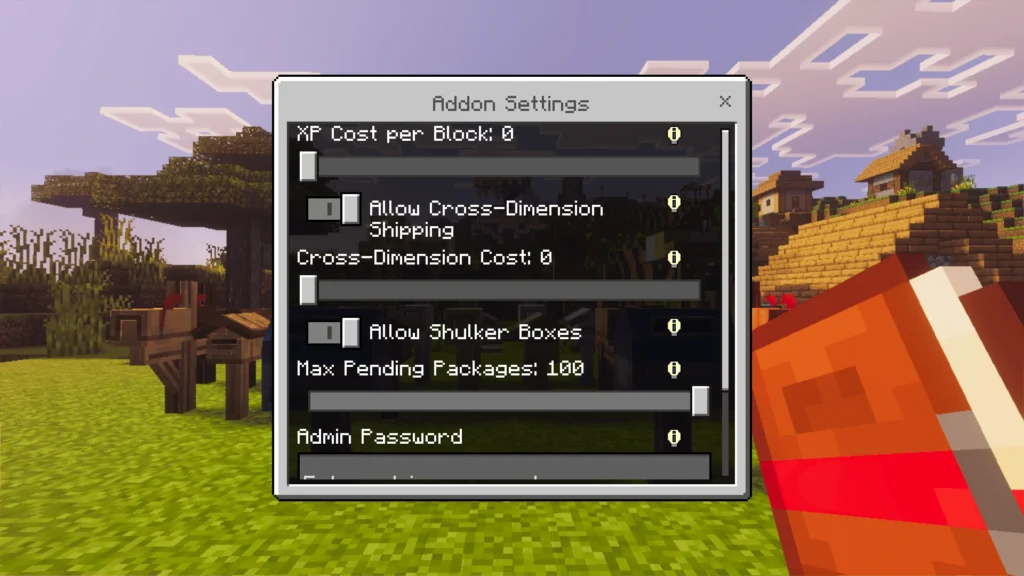
Mailboxes includes a built-in guidebook where you can configure gameplay behavior:
- XP Cost per Block: Charge XP depending on the delivery distance.
- Cross-Dimension Delivery: Enable or disable deliveries between dimensions.
- Extra XP for Interdimensional Packages: Set an additional XP cost.
- Allow/Block Shulker Boxes: Decide if packages can contain them.
- Pending Packages Limit: Configure between 10 and 100 per mailbox.
- Password Lock: Protect your settings with a password.
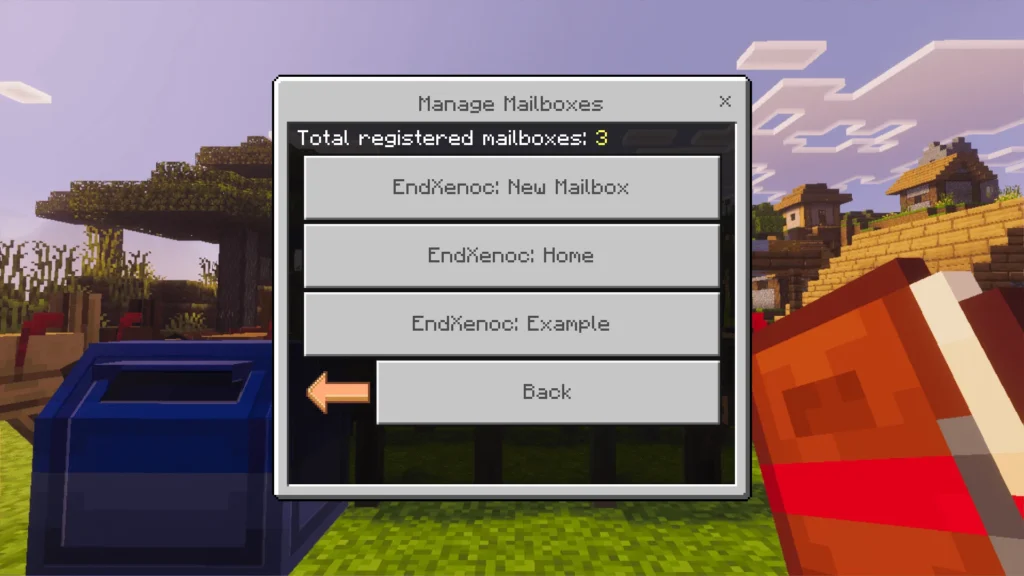
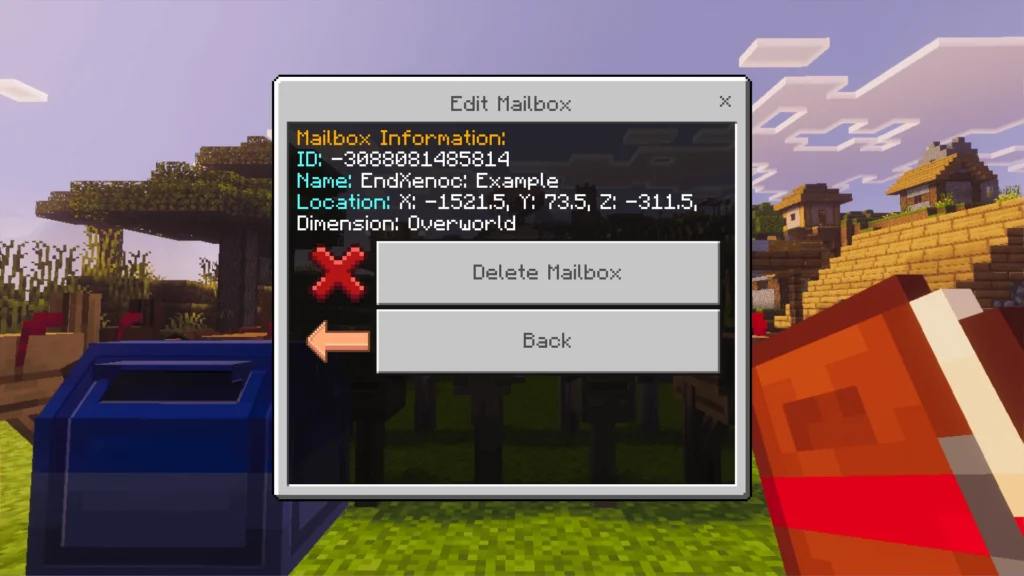
- Admin Tools: View or manage all registered mailboxes and pending packages.
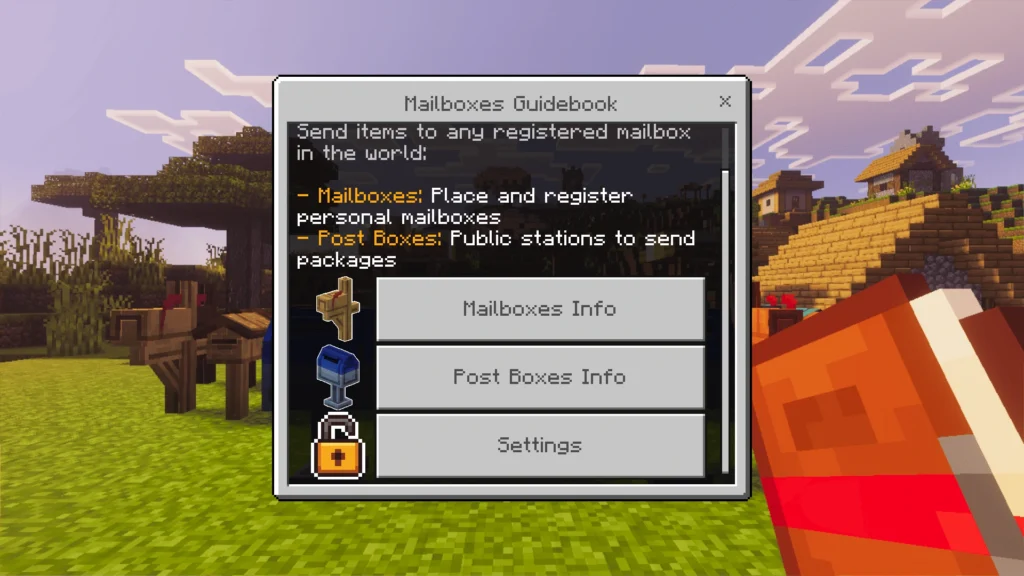
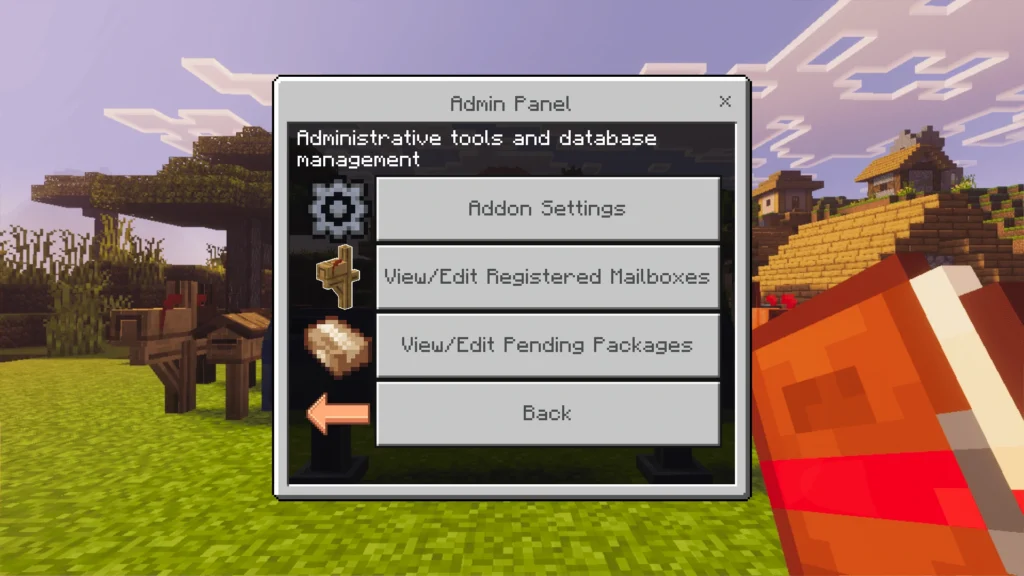
Admin Tools
Admins can view and manage all mailboxes and pending packages:
- Inspect and delete registered mailboxes.
- View pending packages.
- Delete or recover packages directly to their position.
Postman Hats
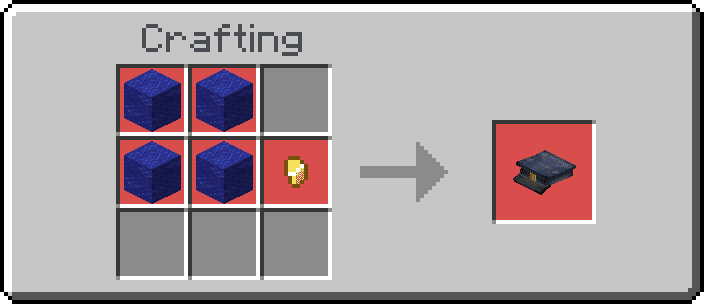
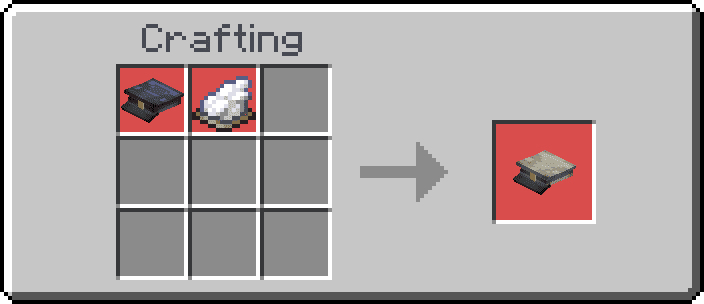
Mailboxes V1.3.0 introduces Postman Hats (blue and white). They are decorative items, but when placed on an armor stand near a mailbox, they act as automatic mail collectors.
🎨 Credits
Thanks to:
- Mr.Drop – mailbox and post box models & textures.
- JangoBritt – postman hat models & textures.
⚙️ Technical Details & Compatibility
- Compatible Versions: Minecraft Bedrock 1.21.90+
- Achievements: ✅ Enabled – Does not disable achievements
- Experimental Features: ❌ Not required
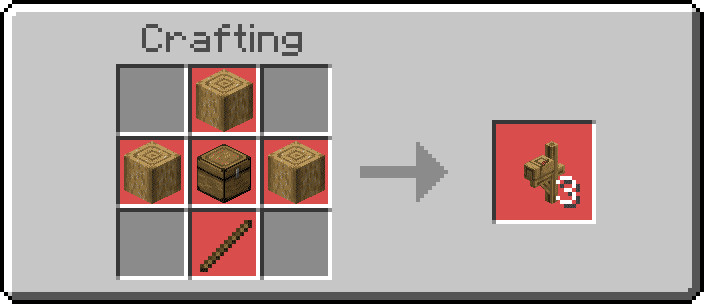
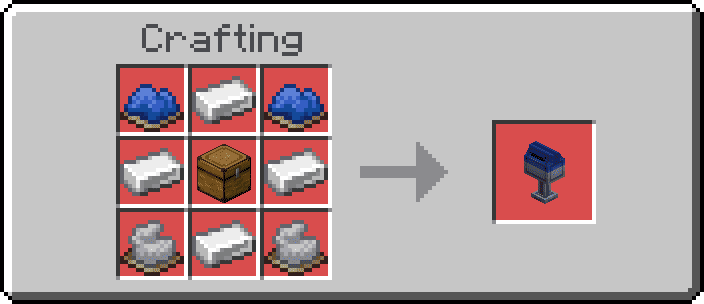
- Survival Mode Support: ✔️ Fully functional – craftable and usable in normal gameplay
- Performance: 🧠 Optimized – mailboxes unload when inactive to reduce lag
- Cross-Dimension Deliveries: 🌍 Optional (can be disabled in settings)
- Automation: 🤖 Works with Armor Stands wearing Postman Hats and with Hoppers
- Multiplayer Support: 🧑🤝🧑 Fully compatible with Realms and dedicated servers